



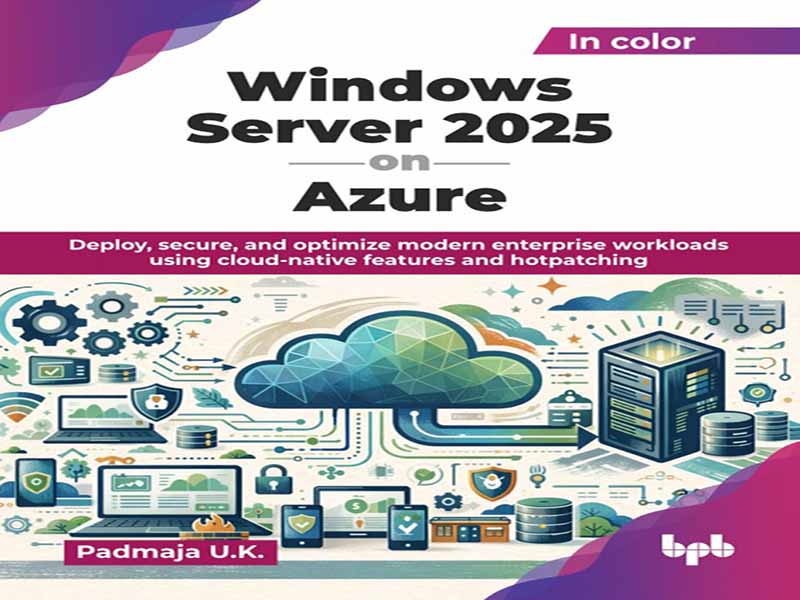
- عنوان کتاب: Windows Server 2025 on Azure
- نویسنده: Padmaja U.K
- حوزه: ویندوز سرور
- سال انتشار: 2026
- تعداد صفحه: 481
- زبان اصلی: انگلیسی
- نوع فایل: pdf
- حجم فایل: 8.64 مگابایت
ویندوز سرور برای دههها بخش اصلی زیرساخت فناوری اطلاعات بوده است. با افزایش پذیرش فضای ابری، درک نحوه استقرار و مدیریت ویندوز سرور، به ویژه آخرین نسخه سال 2025، در فضای ابری Azure برای متخصصان فناوری اطلاعات مدرن بسیار مهم میشود. درک قابلیتهای بومی فضای ابری به شما کمک میکند تا با داشتن مهارتهای مناسب مورد نیاز برای مدیریت محیطهای ابری مدرن، در صدر باشید. این کتاب در 4 بخش سازماندهی شده است که با مروری بر ویژگیها و پیشرفتهای جدید ویندوز سرور 2025 شروع میشود. پس از آشنایی با آنها، به تنظیم حساب کاربری و اشتراک Azure برای برنامهریزی زیرساخت ابری ترکیبی شما میپردازیم. دستورالعملهای گام به گام، شما را در استقرار ویندوز سرور 2025 در Azure و پیکربندی آن برای بارهای کاری بومی فضای ابری، با تمرکز بر استقرار ماشین مجازی Azure و مدیریت هزینه، راهنمایی میکنند. در بخش دوم، به طور عمیق به قابلیتهای بومی فضای ابری که ویندوز سرور 2025 در Azure را متمایز میکند، میپردازیم. این بخش شامل ادغام Azure Arc، وصلهگذاری فوری برای بهروزرسانیهای بدون خرابی و قابلیتهای امنیتی پیشرفته است. شما یاد خواهید گرفت که چگونه از ویژگیهای بومی Azure برای محافظت کارآمد از دادهها و بارهای کاری خود استفاده کنید. بخش سوم شما را با مباحث کلیدی مانند کانتینرها، Kubernetes و پارتیشنبندی GPU برای بارهای کاری AI/ML آشنا میکند. همچنین یاد خواهید گرفت که چگونه راهحلهای ذخیرهسازی، پشتیبانگیری و بازیابی اطلاعات در مواقع اضطراری را مدیریت کنید و از دسترسی بالا و مقیاسپذیری خودکار اطمینان حاصل کنید. در این بخش، راهنماییهایی در مورد مدیریت منابع و بهینهسازی هزینه ارائه شده است. در بخش پایانی، به روندهای آینده نگاهی میاندازیم و بینشهایی در مورد چشمانداز رو به رشد فناوری اطلاعات ابری و ترکیبی ارائه میدهیم. منابع و مسیرهای یادگیری اضافی ارائه شده در اینجا به شما کمک میکند تا سفر خود را با ویندوز سرور 2025 در Azure ادامه دهید. دستورالعملهای گام به گام و توضیحات واضح مفاهیم در این کتاب، شما را در فرآیند یادگیری راهنمایی کرده و به شما در تسلط بر محتوا کمک میکند. این کتاب برای متخصصان فناوری اطلاعات، معماران ابری، مدیران سیستم، مهندسان DevOps و علاقهمندان به فناوری است که میخواهند با اطمینان ویندوز سرور 2025 را در Azure اجرا کنند. این کتاب برای کسانی که محیطهای ویندوز سرور داخلی، ترکیبی یا کاملاً مبتنی بر ابر را مدیریت میکنند، ایدهآل است و به شما کمک میکند تا در چشمانداز رو به رشد ابر، پیشتاز باشید. فصل 1: مروری بر ویندوز سرور 2025 – این فصل به عنوان مقدمهای بر ویندوز سرور 2025 عمل میکند و بر تکامل آن، ویژگیهای کلیدی و مزایای استفاده از آن در Azure تمرکز دارد. ما به تکامل ویندوز سرور خواهیم پرداخت، پیشرفتهای جدید در ویندوز سرور 2025 را در مقایسه با نسخههای قبلی، از جمله نحوه ادغام آن با Azure برای راهحلهای بومی ابری، بررسی خواهیم کرد. این فصل همچنین نسخههای مختلف (استاندارد، دیتاسنتر، نسخه Azure و غیره) و مدلهای مجوز مربوطه آنها را مورد بحث قرار میدهد و به خوانندگان کمک میکند تا نسخه مناسب برای حجم کاری خود را انتخاب کنند. فصل 2: آمادهسازی برای استقرار در Azure – قبل از استقرار ویندوز سرور 2025 در Azure، داشتن یک پایه محکم مهم است. این فصل مراحل کلیدی شروع کار، از راهاندازی یک حساب کاربری Azure و اشتراک گرفته تا درک مناطق، مناطق در دسترس بودن و مدیریت منابع را بررسی میکند. همچنین بهترین شیوهها برای برنامهریزی یک زیرساخت ابری ترکیبی را پوشش میدهد و ادغام یکپارچه بین محیطهای داخلی و Azure را فراهم میکند. همچنین، شما بینشهایی در مورد قیمتگذاری، بودجهبندی و مدیریت هزینه کسب خواهید کرد که به شما کمک میکند تا تصمیمات آگاهانهای برای بهینهسازی منابع بگیرید و در عین حال هزینههای ابری را تحت کنترل داشته باشید. فصل 3: استقرار ویندوز سرور 2025 در Azure – این فصل یک راهنمای عملی برای استقرار ویندوز سرور 2025 در Azure ارائه میدهد، با مراحل عملی برای ایجاد و پیکربندی ماشینهای مجازی ویندوز سرور در ابر. شما خواهید دید که چگونه یک ماشین مجازی ویندوز سرور 2025 را در Azure راهاندازی کنید و آن را برای بارهای کاری بومی ابری پیکربندی کنید. این فصل همچنین به ادغام ابر ترکیبی میپردازد که نحوه پیوند زیرساختهای داخلی خود را با ابر شرح میدهد. در نهایت، یاد خواهید گرفت که چگونه از بازار Azure برای استقرار تصاویر و قالبهای از پیش پیکربندی شده استفاده کنید و روند راهاندازی را سرعت بخشید. فصل 4: ویژگیهای جدید ابر ترکیبی و ادغام Azure Arc – ویژگیهای ابر ترکیبی ویندوز سرور 2025 در اینجا بررسی شده است، با تمرکز ویژه بر Azure Arc و نحوه ادغام آن با سیستمهای داخلی شما. شما با نسخه Azure ویندوز سرور 2025 آشنا خواهید شد که به طور خاص برای کار یکپارچه با Azure طراحی شده است و به شما دسترسی پیشرفتهای به ابزارها و خدمات ابری میدهد. شما با بهترین شیوههای مدیریت محیطهای ترکیبی با استفاده از Azure Arc آشنا خواهید شد که قابلیتهای مدیریتی Azure را به تنظیمات داخلی و چند ابری گسترش میدهد. علاوه بر این، یاد خواهید گرفت که چگونه ویندوز سرور داخلی خود را با سرویسهای Azure ادغام کنید و به شما در ساخت یک زیرساخت ابری ترکیبی انعطافپذیر و مقیاسپذیر کمک میکند. فصل 5: بهروزرسانیهای Hotpatching و Zero-downtime – Hotpatching در ویندوز سرور 2025 یک ویژگی متحولکننده است که به شما امکان میدهد بهروزرسانیهای امنیتی و حیاتی را بدون راهاندازی مجدد اعمال کنید و …
Windows Server has been a core part of IT infrastructure for decades. As cloud adoption continues to grow, understanding how to deploy and manage Windows Server, specifically the latest release of 2025, in Azure cloud becomes crucial for modern IT professionals. Understanding the cloud native capabilities help you stay ahead by having the right skills needed to manage modern cloud environments. This book is organized into 4 parts, starting with an overview of the new features and improvements of Windows Server 2025. Once you are familiar with those, we then look at setting up Azure account and subscription to planning your hybrid cloud infrastructure. Step-by-step instructions will walk you through deploying Windows Server 2025 on Azure and configuring it for cloud-native workloads, with a focus on Azure VM deployment and cost management. In the second part, we dive deep into the cloud-native capabilities that make Windows Server 2025 on Azure stand out. This section covers Azure Arc integration, hot patching for zero downtime updates, and advanced security capabilities. You will learn how to leverage Azure native features to protect your data and workloads efficiently. Third section takes you through key topics such as containers, Kubernetes and GPU partitioning for AI/ML workloads. You will also learn to handle storage solutions, backup and disaster recovery and ensure high availability and auto-scaling. Guidance on resource management and cost optimization are provided in this section. In the final part, we look at future trends, offering insights into the ever evolving cloud and hybrid IT landscape. Additional resources and learning paths provided here will help you continue your journey with Windows Server 2025 on Azure. The step-by-step instructions and clear explanations of concepts in this book will guide you through the learning process and help you master the content. This book is for IT professionals, cloud architects, system administrators, DevOps engineers and tech enthusiasts who want to confidently run Windows Server 2025 on Azure. Ideal for those managing on-premises, hybrid or fully cloud-based Windows Server environments, this book will help you stay ahead in the evolving cloud landscape. Chapter 1: Overview of Windows Server 2025 – This chapter serves as the introduction to Windows Server 2025, focusing on its evolution, key features, and the benefits of using it in Azure. We will touch upon the evolution of Windows Server, explore the new advancements in Windows Server 2025 compared to previous versions, including how it integrates with Azure for cloud-native solutions. The chapter also discusses the different editions (Standard, Datacenter, Azure Edition etc.) and their respective licensing models, helping readers choose the right edition suitable for their workloads. Chapter 2: Preparing for Deployment on Azure – Before deploying Windows Server 2025 in Azure, it is important to have a solid foundation. This chapter walks through the key steps to get started, from setting up an Azure account and subscription to understanding regions, availability zones, and resource management. It also covers best practices for planning a hybrid cloud infrastructure, providing seamless integration between on premises environments and Azure. Also, you will gain insights into pricing, budgeting, and cost management that help you make informed decisions to optimize resources while keeping cloud expenses under control. Chapter 3: Deploying Windows Server 2025 on Azure – This chapter provides a hands-on guide to deploying Windows Server 2025 on Azure, with practical steps for creating and configuring Windows Server VMs in the cloud. You will see how to set up a Windows Server 2025 VM in Azure and configure it for cloud-native workloads. The chapter also covers hybrid cloud integration, that describes how to link your on-premises infrastructure with the cloud. Lastly, you will learn how to leverage the Azure Marketplace for deploying pre-configured images and templates, speeding up the setup process. Chapter 4: New Hybrid Cloud Features and Azure Arc Integration – Hybrid cloud features of Windows Server 2025 are explored here, with a special focus on Azure Arc and how it integrates with your on-premises systems. You will dive into the Azure Edition of Windows Server 2025 which is designed specifically to work seamlessly with Azure giving you enhanced access to cloud-native tools and services. You will see certain best practices for managing hybrid environments using Azure Arc, which extends Azure’s management capabilities to on-premises and multi-cloud setups. Additionally, you will learn how to integrate your on-premises Windows Server with Azure services, helping you build a flexible, scalable hybrid cloud infrastructure. Chapter 5: Hotpatching and Zero-downtime Updates – Hotpatching in Windows Server 2025 is a game-changing feature that lets you apply security and critical updates without rebooting, keeping your workloads running without interruption. In this chapter, you will learn how hotpatching works, why it is a big deal for minimizing downtime, and how it simplifies patch management. The chapter also covers ways to automate patching in Azure, that help your systems stay updated without disrupting performance or availability. Chapter 6: Security and Compliance in Windows Server 2025 – Security is more important than ever, and this chapter dives into the enhanced security and compliance features in Windows Server 2025 to help you protect your systems and data. You will explore the latest improvements in Windows Defender, designed to defend against modern cyber threats. We will also cover built-in security enhancements like Credential Guard and virtualization-based security, which add extra layers of protection to the operating system. On top of that, you will learn how to secure workloads in Azure using Azure Security Center and ensure compliance and data protection across hybrid cloud environments. Chapter 7: Containers and Kubernetes in Windows Server 2025 – Containers are becoming essential for modern application deployment, and Windows Server 2025 brings even better support for them. In this chapter, you will learn how to run and manage containers more efficiently, with improved integration for Kubernetes. You will learn how to deploy and manage containers using Azure Kubernetes Service and how to extend container management across hybrid environments with Azure Arc. You will also get practical insights into migrating legacy applications to containers in Azure, making it easier to modernize workloads and scale applications more effectively. Chapter 8: GPU Partitioning and AI/ML Workloads – Artificial intelligence and machine learning workloads require significant computing power, and Windows Server 2025 makes it easier than ever with GPU partitioning. This chapter dives into how you can efficiently allocate GPU resources to get the best performance for AI and ML applications in Azure. You will learn how to set up GPU-powered VMs, fine-tune them for demanding workloads, and manage resources effectively to keep costs under control. Whether you are running deep learning models or high performance computing tasks, this chapter will show you how to fully utilize Windows Server 2025’s GPU capabilities in the cloud. Chapter 9: Storage, Backup, and Disaster Recovery – Data is the backbone of any IT environment. Windows Server 2025 provides robust storage, backup, and disaster recovery solutions, particularly when implemented within the Azure environment. This chapter walks you through advanced storage solutions, including storage spaces direct, resilient file system, and cloud-native storage options. You will also get step-by-step guidance on setting up Azure Backup and using Azure Site Recovery. While the former helps to safeguard your workloads, the latter builds a solid disaster recovery strategy ensuring business continuity even in the face of unexpected failures. Chapter 10: High Availability and Auto-scaling in Azure – Keeping systems running smoothly, even under heavy demand, is critical for any business. This chapter covers how to ensure high availability and autoscaling for Windows Server 2025 in Azure, so your workloads stay online and perform efficiently. You will learn how to protect against failures using Azure availability sets and zones, set up load balancing to distribute traffic, and implement auto-scaling to adjust resources automatically as demand changes. A set of best practices for maintaining fault tolerance and reliability in hybrid cloud environments are also covered, so your systems stay resilient no matter what. Chapter 11: Managing and Monitoring Windows Server 2025 – Effectively managing and monitoring Windows Server 2025 is key to keeping systems running smoothly, whether in Azure or a hybrid environment. This chapter walks you through essential tools like Azure Monitor and Log Analytics, which provide real-time insights into performance and help with troubleshooting issues. You will also explore Windows Admin Center, a powerful tool that simplifies both cloud and onpremises management and learn how Azure Automation can handle repetitive administrative tasks, saving time and effort. A few common troubleshooting strategies for Windows Server 2025 VMs in Azure are also included, so you can quickly diagnose and resolve issues when they arise. Chapter 12: Performance Optimization for Cloud and Hybrid Workloads – Performance optimization is key to get the most out of Windows Server 2025 in Azure or a hybrid environment. This chapter walks you through best practices for tuning performance, from allocating resources effectively and configuring VMs to optimizing workloads for speed and efficiency. You will also learn how to scale resources intelligently without compromising on performance. You will see how Azure Advisor can come in handy in providing smart recommendations to fine-tune your setup and keep your cloud workloads running at peak efficiency. Chapter 13: Automating Windows Server 2025 Deployment – Automation is key to efficiently managing Windows Server 2025 in Azure. This chapter explores how to automate infrastructure provisioning, VM deployment, and configuration using infrastructure as code (IaC) principles. You will learn how to use Azure Resource Management (ARM) Templates and Azure DevOps for repeatable, scalable deployments. The chapter also covers automating VM setup with PowerShell and Azure CLI, along with using Azure Automation to handle OS updates and patching, reducing manual intervention. Chapter 14: Advanced Security Features in Azure – Security is a top priority when deploying Windows Server 2025 in Azure. This chapter goes into advanced security features that help protect workloads from cyber threats. You will learn how to use Azure Sentinel for threat detection and incident response, configure Azure Firewall and network security groups for network security, and integrate Windows Defender for Identity to detect and mitigate identity-based attacks. Additionally, the chapter covers best practices for managing identity and access using Azure Active Directory. Chapter 15: Cost Optimization and Resource Management in Azure – Managing costs effectively is just as important as optimizing performance when running Windows Server 2025 in Azure. In this chapter, you will explore strategies to monitor, control, and optimize costs while maintaining performance and reliability. It also covers how to track Azure spending, right-size VMs and storage, and use Azure Cost Management for budgeting and forecasting. Some of the best practices for resource optimization in hybrid and multi-cloud environments are also discussed in this chapter, helping you maximize your cloud investments. Chapter 16: Strategies and Implementations with Windows Server 2025 on Azure – Migrating legacy workloads to Azure is a crucial step for organizations looking to modernize their infrastructure while balancing performance, security, and cost. This chapter explores different migration approaches, including infrastructure as a service for lift-and-shift scenarios and containerization for workloads that need greater scalability and efficiency. You will learn how Azure Migrate service helps assess, plan, and execute these transitions, ensuring minimal disruption. Beyond migration, the chapter looks at future implementation possibilities with Windows Server 2025. Chapter 17: Road Ahead for Windows Server 2025 – This concluding chapter revisits the key takeaways from the book and highlights the significance of Windows Server 2025 in Azure. It also offers insights into the future of Windows Server and its growing role in cloud integration. To support continued learning, this chapter includes recommendations for resources, certifications, and best practices, helping to expand knowledge and stay ahead in the evolving world of cloud computing.
این کتاب را میتوانید از لینک زیر بصورت رایگان دانلود کنید:
Download: Windows Server 2025 on Azure
















نظرات کاربران