













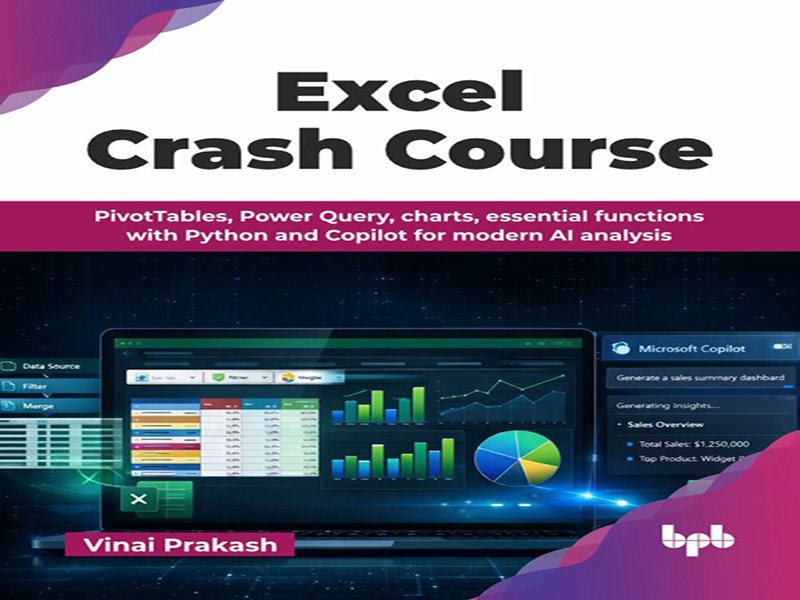
- عنوان کتاب: Excel Crash Course -PivotTables, Power Query, charts, essential functions with Python and Copilot for modern AI analysis
- نویسنده: Vinai Prakash
- حوزه: آموزش اکسل
- سال انتشار: 2026
- تعداد صفحه: 537
- زبان اصلی: انگلیسی
- نوع فایل: pdf
- حجم فایل: 10.8 مگابایت
یادگیری و استفاده از مایکروسافت اکسل بسیار آسان است. مبتدیان کامل میتوانند با اکسل شروع کنند و اصول اولیه سلولها، ردیفها و ستونها را در کمترین زمان برای جدولبندی دادهها، تولید گزارشها و پیگیری موارد مهم یاد بگیرند. جای تعجب نیست که این نرم افزار یکی از محبوبترین نرمافزارهای بهرهوری در جهان است. این کتاب به گونهای طراحی شده است که یک دوره فشرده در استفاده از مایکروسافت اکسل برای مرور اصول اولیه و کسب برخی نکات، ترفندها و تکنیکهای سطح متوسط و پیشرفته برای آزادسازی پتانسیل کامل این نرمافزار شگفتانگیز تجزیه و تحلیل دادهها ارائه دهد. این کتاب طیف گستردهای از موضوعات، از جمله اصول اولیه اکسل، فرمولها و توابع، جداول محوری، نمودارها، پاکسازی دادهها با Power Query، تجزیه و تحلیل دادهها و حتی استفاده از پایتون در داخل اکسل را پوشش میدهد. ما همچنین استفاده از Copilot، دستیار مبتنی بر هوش مصنوعی مایکروسافت، را برای کمک به پیشنهاد فرمولها، قالببندی شرطی و روشهای مختلف تجزیه و تحلیل و خلاصهسازی سریع دادهها پوشش میدهیم. در سراسر کتاب، ویژگیهای ضروری و جدید مایکروسافت اکسل را خواهید آموخت که بهرهوری و کارایی شما را بهبود میبخشد. هر فصل بر مثالهای عملی و دنیای واقعی تمرکز دارد و دنبال کردن و بهکارگیری فوری آموختههایتان را آسان میکند. با توضیحات واضح و دستورالعملهای گام به گام، میتوانید به هر بخشی بروید تا ویژگیهای کلیدی مانند فرمولها، جداول محوری یا تجسم دادهها را بررسی کنید. این راهنما در زمان شما صرفهجویی میکند و اکسل را برای شما، صرف نظر از سطح تجربهتان، کارآمد میسازد. این کتاب برای کاربران روزمره اکسل، تحلیلگران داده، مدیران اجرایی کسب و کار و مدیرانی که میخواهند بهرهوری خود را افزایش دهند و قابلیتهای خود را در استفاده بیشتر از اکسل بسازند، ایدهآل است. چه یک مبتدی کامل باشید و چه فردی با تجربه در اکسل، این کتاب به شما کمک میکند تا به یک متخصص اکسل تبدیل شوید. با این کتاب، دانش و مهارتهای لازم را برای تبدیل شدن به یک کاربر ماهر اکسل در زمینه آمادهسازی دادهها، تجزیه و تحلیل دادهها، تجسم دادهها و استفاده از Copilot برای کسب بینش عمیقتر با هوش مصنوعی به دست خواهید آورد. امیدوارم این کتاب برای شما آموزنده و مفید باشد. فصل 1: مقدمهای بر اکسل – این فصل یک مرور کلی اساسی از مایکروسافت اکسل ارائه میدهد تا به شما در آشنایی با رابط کاربری و پیمایش آن کمک کند. نکات ناوبری، کلیدهای میانبر و تکنیکهای اولیه پیمایش در اینجا پوشش داده شدهاند تا بتوانید به راحتی در صفحات گسترده پیمایش کنید، نحوه ایجاد و ذخیره کتابهای کاری را بدانید، نوع فایل صحیح را برای ذخیره کار خود انتخاب کنید و بهترین شیوهها را در سفارشیسازی اکسل بیاموزید. در نهایت، منابع کمکی داخلی اکسل، قالبها و ابزارهای پشتیبانی را برای روانتر کردن فرآیند یادگیری معرفی میکنیم. فصل 2: ورود سریع دادهها و قالببندی – این فصل به شما نشان میدهد که چگونه اولین کتاب کار اکسل خود را ایجاد کنید، دادههای نمونه را وارد کنید، آن را قالببندی کنید، یک نمودار ایجاد کنید و یک کتاب کار چاپ کنید. روشهای مختلف ورود دادهها، انواع دادهها و کلیدهای میانبر برای ورود سریعتر دادهها پوشش داده شده است. ما نحوه ویرایش و قالببندی دادهها را بررسی میکنیم تا با فونتها، رنگها، ترازبندی و سبکها بهتر به نظر برسند. همچنین بررسی خواهیم کرد که چگونه Autofill و Flash Fill میتوانند وظایف تکراری ورود دادهها را ساده کنند. فصل 3: فرمولها و توابع – این فصل رایجترین توابع مورد استفاده در اکسل را پوشش میدهد. محاسبات روزمره را انجام دهید، دادهها را به طور موثر تجزیه و تحلیل کنید و با فرمولهای اکسل تصمیمات آگاهانه بگیرید. شما یاد خواهید گرفت که محاسبات اولیه را انجام دهید، بالاترین ارقام فروش را پیدا کنید، قیمت یک کالا را جستجو کنید، پاکسازی اولیه دادهها را انجام دهید یا از محاسبات تاریخ به طور کارآمد استفاده کنید. ما توابع منطقی، متنی، تاریخ، جستجو و عیبیابی را برای حداکثر کارایی پوشش میدهیم. فصل 4: مدیریت دادهها – این فصل به شما نشان میدهد که چگونه با دادههای بزرگ متشکل از هزاران ردیف کار کنید. یاد بگیرید که دادهها را به راحتی مرتب و فیلتر کنید، جداول ایجاد کنید و از منابع ساختار یافته برای درک و محاسبات آسانتر استفاده کنید. علاوه بر این، این فصل همچنین نحوه انجام اعتبارسنجی دادهها و ایجاد لیستهای کشویی را پوشش میدهد. همچنین یاد خواهید گرفت که موارد تکراری را از دادههای خود حذف کنید. در پایان، چند نکته عملی در مورد مدیریت مؤثر دادهها در اکسل به شما ارائه میدهیم. فصل 5: ایجاد نمودارهای شگفتانگیز و تجسم دادهها – این فصل توضیح میدهد که تجسم دادهها در نمودارها با اکسل چقدر آسان است. با مقدمهای بر انواع نمودارهای اولیه مانند نمودارهای ستونی، میلهای، خطی و دایرهای شروع کنید و یاد بگیرید که چگونه آنها را ایجاد، قالببندی و سفارشی کنید تا نیازهای تجسم شما را برآورده کند. ما همچنین برخی از انواع نمودارهای پیشرفته، مانند نمودارهای ترکیبی، هیستوگرامها و نمودارهای پراکندگی را پوشش خواهیم داد که به شما امکان میدهد تجسم دادههای پیچیدهتری را انجام دهید. Sparklines، نمودارهای مینیاتوری که بینشهای سریعی ارائه میدهند، برای کمک به شما در تجسم روند دادهها در سلولها معرفی میشوند. فصل 6: باز کردن قدرت PivotTables برای تجزیه و تحلیل دادهها – این فصل نشان میدهد که چگونه دادهها را به سرعت تنها با چند کلیک، بدون نوشتن فرمول، خلاصه کنید. PivotTables گزارشهای فوری هستند که به شما امکان میدهند دادهها را به روشهای مختلف برش دهید. این به شما کمک میکند تا بینشهای جدید را شناسایی کنید و موارد عملی را برای بهبود کار یا عملیات خود بر اساس تجزیه و تحلیل دادهها جمعآوری کنید. این فصل شامل مثالهای عملی از ایجاد PivotCharts a است.
Microsoft Excel is quite easy to learn and use. Complete beginners can get started with Excel, and pick up the basics of cells, rows, and columns in no time to tabulate data, generate reports, and track things that matter. No wonder it is one of the most popular productivity software in the world. This book is designed to provide a crash course in using Microsoft Excel to brush up on the basics and pick up some intermediate and advanced tips, tricks, and techniques to unlock the full potential of this amazing data analysis software. It covers a wide range of topics, including the basics of Excel, formulas and functions, PivotTables, charts, data cleaning with Power Query, data analysis, and even using Python inside Excel. We also cover the use of Copilot, Microsoft’s AI-powered assistant, to help in suggesting formulas, Conditional Formatting, and different ways to analyze and summarize data quickly. Throughout the book, you will learn essential and new features of Microsoft Excel that will improve your productivity and efficiency. Each chapter focuses on practical, real-world examples, making it easy to follow and apply what you have learned immediately. With clear explanations and stepby- step instructions, you can dive into any section to explore key features like formulas, PivotTables, or data visualization. This guide will save you time and make Excel work for you, no matter your experience level. The book is ideal for everyday Excel users, data analysts, business executives, and managers who want to enhance their productivity and build their capabilities in getting more out of Excel. Whether you are a complete beginner or someone with experience in Excel, the book helps you to become an Excel expert. With this book, you will gain the knowledge and skills to become a proficient Excel user in the field of data preparation, data analysis, data visualization, and using Copilot to gain deeper insights with artificial intelligence. I hope you will find this book informative and useful. Chapter 1: Introduction to Excel – This chapter provides a foundational overview of Microsoft Excel to help you get comfortable with its interface and navigation. Navigation tips, shortcut keys, and basic scrolling techniques are covered here so you can navigate spreadsheets easily, know how to create and save workbooks, pick the correct file type to save your work, and learn best practices in customizing Excel. Finally, we introduce Excel’s built-in help resources, templates, and support tools to make the learning process smoother. Chapter 2: Quick Data Input and Formatting – This chapter shows you how to create your first Excel workbook, enter sample data, format it, create a chart, and print a workbook. Various data entry methods, data types, and shortcut keys to enter data faster are covered. We explore how to edit and format the data to make it look better with fonts, colors, alignment, and styles. We will also explore how Autofill and Flash Fill can streamline repetitive data entry tasks. Chapter 3: Formulas and Functions – This chapter covers the most commonly used functions in Excel. Perform everyday calculations, analyze data efficiently, and make informed decisions with Excel formulas. You will learn to perform basic arithmetic, find the highest sales figures, look up the price of an item, perform basic data cleanup, or use date calculations efficiently. We cover logical, text, date, lookup, and troubleshooting functions for maximum efficiency. Chapter 4: Managing Data – This chapter shows you how to work with large data consisting of thousands of rows. Learn to sort and filter the data easily, create tables, and use structured references for easier understanding and calculations. Furthermore, the chapter also covers how to perform data validation and create drop-down lists. You will also learn to remove duplicates from your data. We end by giving you some practical tips on managing data effectively in Excel. Chapter 5: Create Amazing Charts and Visualize Data – This chapter explains how easy it is to visualize data in charts with Excel. Begin with an introduction to basic chart types like column, bar, line, and pie charts, learning how to create, format, and customize them to meet your visualization needs. We will also cover some advanced chart types, such as combo charts, histograms, and scatter plots, allowing you to tackle more complex data visualizations. Sparklines, miniature charts that provide quick insights, are introduced to help you visualize data trends within cells. Chapter 6: Unlocking the Power of PivotTables for Data Analysis – This chapter shows how to summarize data quickly in just a few clicks, without writing any formulas. PivotTables are instant reports that allow you to slice and dice data in numerous ways. It will help you identify new insights and glean action items to improve your work or operations based on the data analysis. The chapter includes practical examples of creating PivotCharts and using slicers and timelines to view data over a period and compare different dimensions. Chapter 7: Working with Large Datasets – This chapter explains how to split a worksheet into multiple windows, freeze panes, group and outline data when working with larger datasets. We also show a nifty feature that can generate subtotals. Lastly, you will learn how to clean and load data delimited by certain characters in the Text to Columns feature. Multiple examples of Flash Fill that automatically identify patterns in your data and generate entries without writing any complex functions or formulas are demonstrated. Chapter 8: Data Cleaning Made Easy – This chapter focuses on several built-in Excel functions that can help you cleanse text, date, or numeric data easily. Functions to remove extra spaces, combine or split data into multiple pieces are also covered with step-by-step examples. You can search or replace certain text with something meaningful with the use of such functions. We also provide you with some tips for cleaning data efficiently in Excel. Chapter 9: Boost Productivity in Excel – This chapter demonstrates how you can customize Excel to suit your working style. With these techniques, you can customize the ribbon, create or use templates, become familiar with important shortcut keys, and more. We also cover an extremely useful feature called named ranges, which allows you to refer to cells with custom names. Finally, we show you how to protect your Excel workbooks and sheets, share, and collaborate with others. Chapter 10: Troubleshooting Excel Files – This chapter shows you the different error messages you may get in Excel, what they mean, and how to fix such errors. With these tips, you will be able to prevent many errors from happening, and if they do occur, you will know the reason for such syntax, display, logic, or spelling errors. Ways to avoid data entry errors, auditing features, and debugging complex formulas will be covered, too. Chapter 11: Advanced PivotTable Mastery – Reading this chapter will enable you to analyze data like a pro with advanced techniques in PivotTables. You will learn to create calculated items and fields, group by automatic time ranges, create a Data Model from multiple sheets, and explore slicers to create dynamic, interactive dashboards without writing complex formulas. Practical examples guide you step by step in building your data analysis skills higher. Chapter 12: Excel Formatting Unleashed – You will build your data visualization skills with Conditional Formatting, custom number formatting, apply unique cell styles and themes, and use borders in Excel. We share a number of best practices to enhance your data presentation. Chapter 13: Advanced Excel Formulas – You will build upon your Excel formula skills by covering the newer XLOOKUP, FILTER, UNIQUE, and SORT functions, applying INDEX, MATCH, and OFFSET to refer to multiple cells dynamically. Practical examples of creating advanced data validations to build dependent drop-down lists that cascade down dynamically are covered. Functions like IF, nested IF, and combining IF with other functions like OR, AND, etc., help to build more robust validations in Excel. Chapter 14: Using Power Query to Transform Data – This chapter delves deep into this hidden gem of a feature that helps you cleanse and reshape data once, and automate the cleaning of subsequent data by simply invoking a refresh. With our step-by-step examples, you will learn to merge, append, and reshape the data the way you want without writing any macro or automation scripts. Chapter 15: Excel Best Practices – This chapter covers the essential habits that experienced Excel users follow, like organizing files, naming cells and Excel sheets appropriately, maintaining documentation, and implementing robust backup strategies. These small but strategic practices ensure your work is not only clean and professional but also future-proof and easy for others to follow. Chapter 16: Latest Functions and Tools in Excel – This chapter showcases the newest Excel functions like LET, LAMBDA, VSTACK, TAKE, DROP, EXPAND, TOROW, TRIMRANGE, and more. Now you can embed your Python scripts and code directly inside Excel cells. We show you how to write simple Python code in Excel and use the pandas library to describe the data and do simple calculations with Python. With these tips, you will be able to get Python to analyze the data and visualize it in Python charts, too. Chapter 17: Applying Artificial Intelligence with Excel Copilot – This chapter demonstrates how you can tap into artificial intelligence with Copilot built into Excel 365. We start with an introduction to Copilot and its licensing model. We then delve into multiple examples of getting Copilot to provide you with the answers or steps to perform certain operations. Tips for writing effective prompts for Copilot will help you. Microsoft has launched the COPILOT function, which can take any prompt and use the large language model to suggest or perform actions based on the prompt. It can perform sentiment analysis or clean inconsistent data for starters. It is a must to pick these evolving functions and gain more out of your data.
این کتاب را میتوانید از لینک زیر بصورت رایگان دانلود کنید:
Download: Excel Crash Course
























نظرات کاربران