





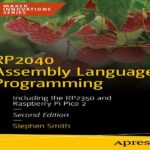









- عنوان کتاب: Workflow Automation with Microsoft Power Automate -Design and scale AI-powered cloud and desktop workflows
- نویسنده: Aaron Guilmette
- حوزه: گردش کار
- سال انتشار: 2025
- تعداد صفحه: 545
- زبان اصلی: انگلیسی
- نوع فایل: pdf
- حجم فایل: 17.0 مگابایت
زمانی بود که «اتوماسیون» به معنای نوشتن اسکریپتی بود که فقط روی لپتاپ شما کار میکرد، هر جمعه خراب میشد و شما را ملزم میکرد قبل از اینکه کسی متوجه شود، آن را تعمیر کنید. خوشبختانه، آن روزها (عمدتاً) تمام شدهاند. Microsoft Power Automate در چند سال گذشته از آخرین ویرایش این کتاب، به تکامل خود ادامه داده است. این ابزار از یک ابزار ساده برای بهرهوری دیجیتال (به جز هوشمندتر، تمیزتر و کمی کمدردسرتر) به چیزی تبدیل شده است که میتواند برای سادهسازی کسب و کار و وظایف روزانه شما استفاده شود. این ویرایش سوم از اتوماسیون گردش کار با Microsoft Power Automate، همه چیز را فراتر میبرد. اتوماسیون فرآیند رباتیک به شما امکان میدهد مواردی را که قبلاً غیرقابل خودکار بودند – برنامههای قدیمی که از رده خارج نمیشوند و صفحاتی که وانمود میکنند هنوز سال ۲۰۰۳ هستند – خودکار کنید. Copilot اکنون با توضیح ساده آنچه میخواهید به زبان ساده به شما کمک میکند تا جریانها را بسازید، به این معنی که بالاخره میتوانید از بحث با نحو خود (باز هم، تقریباً) دست بردارید. و با دسترسی به ابزارها و مدلهای هوش مصنوعی تعبیه شده در پلتفرم، اتوماسیونهای شما میتوانند سریعتر از آنچه ChatGPT میتواند در مورد بلغور جو دوسر لاف بزند، تجزیه و تحلیل، پیشبینی و پاسخ دهند. شما هنوز هم اصول اولیه آشنای نسخه قبلی را خواهید یافت: نحوه اتصال سیستمهای ابری و داخلی، سادهسازی کارهای تکراری و بازیابی ساعتهایی که به کارهای دستی اختصاص دادهاید. اما این بار، ما این کار را با کمی هوش بیشتر و کمی شخصیت بیشتر انجام خواهیم داد. امیدواریم در طول مسیر ایدههایی در مورد اینکه چگونه اتوماسیون کم کد و هوش مصنوعی میتوانند همه چیز را کمی آسانتر کنند، به دست آورید. این کتاب برای هر کسی است که تا به حال فکر کرده است: “باید راه بهتری برای انجام این کار وجود داشته باشد.” اگر در Microsoft Power Platform – چه به معنای Power Automate، Power Apps یا Power BI – تازه کار هستید، در جای درستی هستید. نیازی نیست کدنویسی، معماری سیستمهای سازمانی یا صحبت کردن با اصطلاحات فنی روان را بدانید. فقط به یک کنجکاوی سالم و شاید کمی ناامیدی از کار تکراری نیاز دارید تا شما را به یافتن راهی جدید ترغیب کند. ما با اصول اولیه شروع خواهیم کرد: کارهای ساده و عملی که به شما نحوه کار اجزای پلتفرم را آموزش میدهند. از آنجا، میتوانید مستقیماً به یادگیری مهارتهای پیچیدهتر بپردازید، شاید حتی ایدههایی در مورد چگونگی شروع حل مشکلاتی که در حال حاضر دارید، به دست آورید. در طول مسیر، گردشهای کاری واقعی خواهید ساخت – چیزهایی که میتوانید صادر کنید، استفاده کنید و به سگ خود ببالید. در پایان، خواهید دید که چگونه پلتفرم Power میتواند کار روتین را به چیزی هوشمندانهتر، سریعتر و (جرات گفتنش را دارید؟) نوعی سرگرمکننده تبدیل کند. فصل 1، معرفی Microsoft Power Automate، مفاهیم اولیه گردشهای کاری و اتوماسیون را معرفی میکند. فصل 2، شروع به کار با Power Automate، به رابط Power Automate و اجزای برنامه میپردازد. فصل 3، کار با ایمیل، نحوه پیکربندی Power Automate را برای پردازش و تعامل با ایمیلها و پیوستها توضیح میدهد. فصل 4، کپی کردن فایلها، نحوه استفاده از Power Automate را برای کپی کردن فایلها بین سرویسهای مبتنی بر ابر بررسی میکند. فصل 5، ایجاد جریانهای دکمهای، نحوه استفاده از جریانهای دکمهای (که جریانهای دستی یا فوری نیز نامیده میشوند) را نشان میدهد و نشان میدهد که چگونه میتوان آنها را از دستگاههای تلفن همراه اجرا کرد. فصل 6، تولید اعلانهای فشاری، نحوه پیکربندی جریانها با اعلانهای فشاری به دستگاههای تلفن همراه را توضیح میدهد. فصل 7، کار با جریانهای مشترک، نحوه اشتراکگذاری و مدیریت مشترک جریانها با همکارانتان را پوشش میدهد. فصل 8، کار با شرطها، نحوه فعال کردن چندین نتیجه برای جریانها بر اساس ارزیابی معیارها را توضیح میدهد. فصل 9، درک عبارات و توابع، مفاهیم اجزای پیچیدهتر مانند توابع و عبارات را شرح میدهد. فصل 10، شروع به کار با تأییدیهها، نحوه استفاده از گردشهای کاری تأیید برای اسناد را مورد بحث قرار میدهد. فصل 11، کار با تأییدیههای چندگانه، بر اساس دانش به دست آمده در فصل قبل بنا شده و آن را با استفاده از شرطها، شاخهبندی و تأییدیههای متوالی گسترش میدهد. فصل 12، ارسال تأییدیهها به تیمها، نحوه ادغام گردشهای کاری تأییدیه در Microsoft Teams را نشان میدهد. فصل 13، استفاده از پایگاههای داده، اتصال به یک پایگاه داده و استفاده از آن برای ذخیره یا بازیابی اطلاعات به عنوان بخشی از یک جریان را پوشش میدهد. فصل 14، کار با Microsoft Forms، نحوه استفاده از Power Automate برای پردازش دادههای پاسخ از Microsoft Forms را نشان میدهد. فصل 15، ارسال به Slack، استفاده از Power Automate برای اتصال Slack و Teams را پوشش میدهد. فصل ۱۶، پذیرش ورودی کاربر، پیکربندی جریان یک دکمه برای پذیرش انواع مختلف ورودی کاربر را بررسی میکند. فصل ۱۷، خودکارسازی Entra ID، رابطهایی را برای کار با Microsoft Graph و Entra ID معرفی میکند. فصل ۱۸، معرفی اتوماسیون فرآیند رباتیک، در مورد ثبت دادههای صفحه نمایش، صفحه کلید و ماوس صحبت میکند. فصل ۱۹، مشارکت در پایگاه داده Access با RPA، نحوه استفاده از Power Automate Desktop را برای انجام ورود دادهها در Microsoft Access توضیح میدهد. فصل ۲۰، خودکارسازی صفحات وب با RPA، مفاهیمی را برای خودکارسازی صفحات وب از طریق ضبط صفحه نمایش و ضبط صفحه نمایش نشان میدهد. فصل ۲۱، معرفی مدلهای هوش مصنوعی و هوش مصنوعی مولد، اجزای سازنده هوش مصنوعی در Power Platform و همچنین قابلیتهای هوش مصنوعی مولد را معرفی میکند…
There was a time when “automation” meant writing a script that only worked on your laptop, broke every Friday, and required you to fix it before anyone noticed. Thankfully, those days are (mostly) over. Microsoft Power Automate has continued to evolve over the past few years since the last edition of this book. It’s moved from just being the duct tape of digital productivity (except smarter, cleaner, and slightly less sticky) to something that can be used to streamline both your business and your daily tasks. This third edition of Workflow Automation with Microsoft Power Automate takes things further. Robotic process automation lets you automate the previously unautomatable—the old apps that refuse to retire and the screens that pretend it’s still 2003. Copilot now helps you build flows by simply explaining what you want in plain English, which means you can finally stop arguing with your syntax (again, mostly). And with access to AI tools and models built into the platform, your automations can analyze, predict, and respond faster than you can get ChatGPT to spit out a rap about oatmeal. You’ll still find the familiar foundations from the previous edition: how to connect cloud and on-premises systems, streamline repetitive work, and reclaim the hours you’ve been donating to manual tasks. But this time, we’ll do it with a little more intelligence—and a little more personality. Hopefully, you’ll pick up some ideas along the way on how low-code automation and AI can make everything just a little easier. This book is for anyone who’s ever thought, “There has to be a better way to do this.” If you’re new to Microsoft Power Platform—whether that means Power Automate, Power Apps, or Power BI—you’re in the right place. You don’t need to know how to code, architect enterprise systems, or speak fluent tech jargon. You just need a healthy curiosity and maybe a mild frustration with repetitive work to inspire you to find a new way. We’ll start with the basics: simple, practical tasks that teach you how the pieces of the platform work. From there, you can move right into learning more complex skills, maybe even getting some ideas on how to begin solving problems you have right now. Along the way, you’ll build real workflows—things you can export, use, and brag about to your dog. By the end, you’ll see how the Power Platform can turn routine work into something smarter, faster, and (dare we say?) kind of fun. Chapter 1, Introducing Microsoft Power Automate, introduces the basic concepts of workflows and automation. Chapter 2, Getting Started with Power Automate, dives into the Power Automate interface and application components. Chapter 3, Working with Email, explains how to configure Power Automate to process and interact with emails and attachments. Chapter 4, Copying Files, explores how to use Power Automate to copy files between cloud-based services. Chapter 5, Creating Button Flows, demonstrates how to use button flows (also called manual or instant flows) and shows how they can be executed from mobile devices. Chapter 6, Generating Push Notifications, explains how to configure flows with push notifications to mobile devices. Chapter 7, Working with Shared Flows, covers how to share and co-manage flows with your peers. Chapter 8, Working with Conditions, explains how to enable multiple outcomes for flows based on criteria evaluation. Chapter 9, Understanding Expressions and Functions, describes the concepts of more complex components such as functions and expressions. Chapter 10, Getting Started with Approvals, discusses how to use approval workflows for documents. Chapter 11, Working with Multiple Approvals, builds on the knowledge gained in the previous chapter and expands it using conditions, branching, and sequential approvals. Chapter 12, Posting Approvals to Teams, demonstrates how to integrate approval workflows into Microsoft Teams. Chapter 13, Using Databases, covers connecting to a database and using it to store or retrieve information as part of a flow. Chapter 14, Working with Microsoft Forms, demonstrates how to use Power Automate to process response data from Microsoft Forms. Chapter 15, Posting to Slack, covers using Power Automate to connect Slack and Teams. Chapter 16, Accepting User Input, explores configuring a button flow to accept a variety of user input types. Chapter 17, Automating Entra ID, introduces connectors for working with Microsoft Graph and Entra ID. Chapter 18, Introducing Robotic Process Automation, talks about capturing screen, keyboard, and mouse data. Chapter 19, Contributing to an Access Database with RPA, explains how to use Power Automate Desktop to perform data entry in Microsoft Access. Chapter 20, Automating Web Pages with RPA, demonstrates concepts for automating web pages through screen scraping and screen capture. Chapter 21, Introducing AI Models and Generative AI, introduces the AI Builder components in the Power Platform as well as generative AI capabilities. Chapter 22, Creating a Sentiment Analysis Flow, explores using the Sentiment Analysis AI Builder model for evaluating text as either positive, neutral, or negative sentiment and then taking action on it. Chapter 23, Using Copilot to Create and Manage Flows, covers some of the new Copilot capabilities. Chapter 24, Using Generative AI to Summarize Documents, walks through using OpenAI tools to work with documents and generate document summaries based on an uploaded file. Chapter 25, Exporting, Importing, and Distributing Flows, shows how to move flows in and out of environments. Chapter 26, Monitoring and Troubleshooting Flows, contains troubleshooting tips for when things go wrong. Chapter 27, Governance in the Power Platform, introduces some of the security and governance controls using the Center of Excellence and data loss prevention.
این کتاب را میتوانید از لینک زیر بصورت رایگان دانلود کنید:























نظرات کاربران