













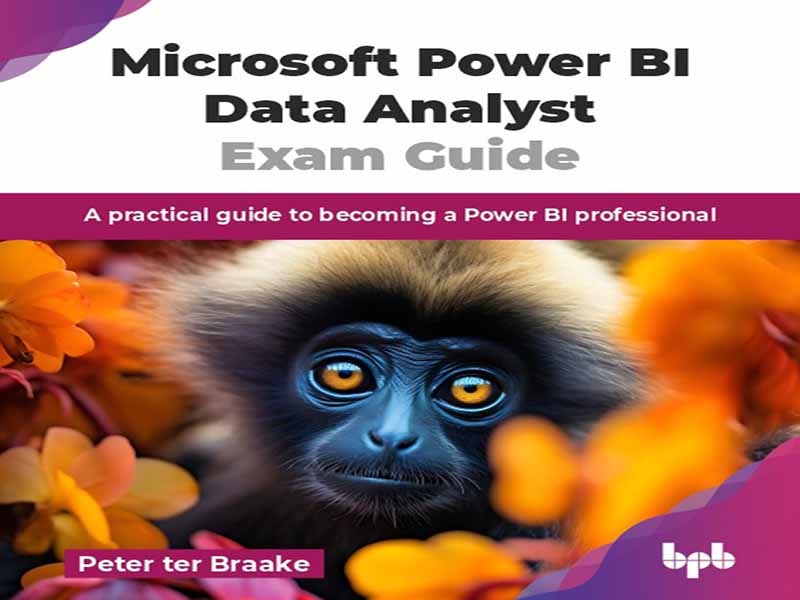
- عنوان کتاب: Microsoft Power BI Data Analyst Exam Guide
- نویسنده: Peter ter Braake
- حوزه: آموزش Power BI
- سال انتشار: 2026
- تعداد صفحه: 420
- زبان اصلی: انگلیسی
- نوع فایل: pdf
- حجم فایل: 11.2 مگابایت
کار با دادهها، یا به عبارت بهتر، درک دنیای خود با استفاده از دادهها، امروزه تقریباً برای هر کسبوکار موفقی اساسی است. Power BI ابزاری قدرتمند برای کمک به شما در این امر است. هدف این کتاب کمک به شما در بهرهبرداری هرچه بیشتر از Power BI و به تبع آن، بهرهبرداری از فرصتهایی است که پیش روی شما قرار دارد. همچنین هدف آن راهنمایی شما در قبولی در آزمون رسمی Power BI مایکروسافت است: Microsoft Certified: Power BI Data Analyst Associate. این کتاب که شامل 16 فصل آموزنده است، تمام مباحث ضروری برای کار با Power BI و قبولی موفقیتآمیز در آزمون را پوشش میدهد. این کتاب با برخی پیشزمینههای لازم در مورد اهمیت دادهها و اهمیت مدلسازی دادهها آغاز میشود. فصلهای 3 و 5 بر آمادهسازی دادهها با استفاده از Power Query تمرکز دارند. فصل 3 با اعمال تبدیلهای اولیه دادهها شروع میشود. فصل 5 بر خودکارسازی راهحلها یا آمادگی برای دریافت دادههای جدید در آینده تمرکز دارد. فصلهای 4 و 6 بر تجسم دادهها تمرکز دارند، جایی که فصل 4 با نظریه اولیه در مورد اینکه یک گزارش مؤثر چیست، شروع میشود. همه تصاویر بصری نیستند، بنابراین توجه دقیق به نحوه تنظیم گزارش شما برای ایجاد گزارشهای مؤثر ضروری است. فصل ۶ بر مفاهیم پیشرفتهتر و به ویژه بر ایجاد گزارشهای تعاملی جذاب تمرکز دارد. فصلهای ۷ تا ۱۰ بر ایجاد یک مدل معنایی تمرکز دارند. فصل ۷ اصول اولیه مدلهای معنایی و به ویژه روابط بین جداول را که جنبه مهمی از مدل هستند، توضیح میدهد. فصلهای ۸ و ۹ بر بیان تحلیل دادهها (DAX) تمرکز دارند. DAX زبان پشت مدل معنایی است که به ما امکان میدهد قابلیتهای تحلیل دادههای خود را غنی کنیم. فصل ۱۰ مفاهیم و بهترین شیوهها را برای مقیاسپذیر کردن Power BI و امکان استفاده از مجموعه دادههای بیشتر معرفی میکند. فصلهای ۱۱ تا ۱۳ پورتال Power BI و همکاری با گزارشهای ایجاد شده را شرح میدهند. فصل ۱۱ بر امنیت، موضوعی با اهمیت روزافزون، تمرکز دارد. فصل ۱۲ گشتی در پورتال میزند و فصل ۱۳ بر نتیجه نهایی واقعی تمرکز دارد: ایجاد یک برنامه Power BI. برای پایان کتاب، فصل ۱۴ به بحث در مورد نظارت بر کل سیستم Power BI میپردازد. فصل ۱۵ قابلیتهای هوش مصنوعی (AI) را در Power BI معرفی میکند. این کتاب به گونهای طراحی شده است که برای همه متخصصانی که میخواهند کار با Power BI را شروع کنند و/یا میخواهند در آزمون PL-300 Microsoft Certified: Power BI Data Analyst Associate قبول شوند، مناسب باشد. هیچ پیشنیازی برای خواندن کتاب وجود ندارد. با این حال، آشنایی با دادهها ضروری است و آشنایی با استفاده از کد نیز پیشنیاز است. این کتاب با ارائه مثالهای عملی، توضیحات جامع و رویکردی ساختاریافته، خوانندگان را به درک کاملی از Power BI مجهز میکند. چه تازهکار باشید و چه یک یادگیرنده باتجربه، امیدوارم این کتاب به عنوان منبعی ارزشمند در سفر شما برای کاوش در Power BI عمل کند. فصل 1: مقدمهای بر دادهها و Power BI – هوش تجاری (BI) فرآیندی برای آمادهسازی و استفاده از دادهها برای به دست آوردن مزیت رقابتی است. درسهای آموخته شده در دهههای گذشته باعث شده است که مردم درک کنند که دادهها قبل از استفاده باید ترکیب، آمادهسازی و مدلسازی شوند. این درسهای آموخته شده را میتوان در راهاندازی Power BI یافت. درک تکامل هوش تجاری، درک اجزای Power BI است. فصل اول، اجزای موجود در ابزار Power BI را از منظر تاریخی توضیح میدهد. فصل 2: مدلسازی ابعادی – Power BI ابزاری است که به شما امکان میدهد تنها با کشیدن و رها کردن، تجسمهای جذابی از دادههای خود ایجاد کنید. با این حال، برای اینکه این کار به آسانی که به نظر میرسد انجام شود، دادهها باید به درستی مدلسازی شوند. این فصل اصول اولیه مدلسازی ابعادی را به شما آموزش میدهد. این یک روش معمول و پذیرفته شده است که قبل از شروع استفاده از دادهها، دادههای خود را در یک مدل ابعادی مدلسازی کنید. فصل 3: مبانی Power Query – این فصل به معرفی عملکرد اساسی Power Query میپردازد. Power Query برای تبدیل و آمادهسازی دادهها استفاده میشود. تبدیلهای داده زیادی برای مقابله با دادههای متفرقه یا مسائل مدلسازی دادهها در دسترس است. این فصل بر تبدیلهای اساسی پرکاربرد تمرکز دارد. این فصل از نظریه فصل قبل استفاده میکند و دادههای نمونه ما را به حقایق و ابعاد تبدیل میکند. فصل 4: مبانی مصورسازیها – این فصل مقدمهای بر مصورسازی دادهها ارائه میدهد. انواع مختلفی از مصورسازیها برای انتخاب وجود دارد. سوالات زیادی در مورد دادهها مطرح میشود. انتخاب اینکه کدام مصورسازی به موثرترین شکل به سوال پاسخ میدهد، بخش مهمی از توسعه گزارشها و داشبوردها است. این فصل در مورد انتخاب مصورهای مناسب و نحوه ایجاد مصور است. این فصل همچنین نحوه تغییر قالببندی مصور به دلخواه شخصی شما را شرح میدهد. فصل 5: تکنیکهای پیشرفته پاور کوئری – این فصل بر خودکارسازی راهحلهای پاور کوئری تمرکز دارد. بسته به دادههایی که دارید و سوالاتی که باید با استفاده از آن دادهها به آنها پاسخ دهید، پاور کوئری میتواند ساده باشد. همچنین میتواند نسبتاً پیچیده شود…
Working with data, or better phrased, understanding your world by the use of data, is core to almost every successful business nowadays. Power BI is a powerful tool to help you with that. This book aims to help you get the most out of Power BI and, with that, out of the opportunities that lie ahead of you. It also aims to guide you in passing Microsoft’s official Power BI exam: Microsoft Certified: Power BI Data Analyst Associate. Comprising 16 insightful chapters, this book covers all topics essential for working with Power BI and passing the exam successfully. The book starts with some necessary background on why data is important and why data modeling is even more important. Chapters 3 and 5 focus on preparing data using Power Query. Chapter 3 starts with applying basic data transformations. Chapter 5 focuses on automating solutions or being prepared to get new data in the future. Chapter 4 and 6 focus on visualizing the data, where Chapter 4 starts with basic theory on what an effective report is. Not all visuals are insightful, so careful consideration on how to setup your report is essential in creating effective reports. Chapter 6 focuses on more advanced concepts and especially on creating compelling interactive reports. Chapters 7 through 10 focus on creating a semantic model. Chapter 7 explains the basics of semantic models and especially the relationships between tables,which are an important aspect of the model. Chapters 8 and 9 focus on Data Analysis Expression (DAX). DAX is the language behind the semantic model that allows us to enrich our data analysis capabilities. Chapter 10 introduces concepts and best practices to make Power BI scalable and allow for greater datasets. Chapters 11 through 13 describe the Power BI portal and collaborating with the reports that have been created. Chapter 11 focuses on security, a topic with ever-increasing significance. Chapter 12 provides a tour of the portal, and Chapter 13 focuses on the actual endresult: creating a Power BI app. To finish the book, Chapter 14 discusses the monitoring of the entire Power BI system. Chapter 15 introduces artificial intelligence (AI) capabilities in Power BI. This book is designed to cater to all professionals who want to start working with Power BI and/or want to pass the exam PL-300 Microsoft Certified: Power BI Data Analyst Associate. There are no prerequisites for reading the book. However, affinity with data is a must, and some affinity with the use of code is a prerequisite. Through practical examples, comprehensive explanations, and a structured approach, this book aims to equip readers with a solid understanding of Power BI. Whether you are a novice or an experienced learner, I hope this book will serve as a valuable resource in your journey of exploring Power BI. Chapter 1: Introduction to Data and Power BI- Business intelligence (BI) is a process to prepare and use data to gain a competitive advantage. Lessons learned over the last decades have made people understand that data needs to be combined, prepared, and modeled before it can be used. Those lessons learned can be found in the setup of Power BI. Understanding the evolution of business intelligence is understanding the components of Power BI. The first chapter explains the components found in the tool Power BI from a historical perspective. Chapter 2: Dimensional Modeling- Power BI is a tool that allows you to create compelling visualizations of your data with just drag-and-drop. However, to make that work as easily as it sounds, the data must be modeled correctly. This chapter teaches you the basics of dimensional modeling. It is a commonly accepted best practice to model your data into a dimensional model before starting to use the data. Chapter 3: The Basics of Power Query- This chapter introduces the basic working of Power Query. Power Query is used to transform and prepare the data. There are a lot of data transformations available in order to deal with miscellaneous data or data modeling issues. This chapter focuses on the often-used basic transformations. The chapter uses the theory of the previous chapter and transforms our sample data into facts and dimensions. Chapter 4: The Basics of Visualizations- This chapter provides an introduction to visualizing data. There are a lot of different types of visualizations to choose from. There are a lot of questions to be asked of the data. Choosing which visualization answers the question in the most effective way is an important part of developing reports and dashboards. This chapter is about choosing the right visuals and how to actually create the visual. The chapter also describes how to change the formatting of the visual to your personal liking. Chapter 5: Advanced Techniques of Power Query- This chapter focuses on automating Power Query solutions. Depending on the data you have and the questions you need answered using that data, Power Query can be straightforward. It can also become rather complex. You need to be prepared for complex situations, where, for instance, new data will be stored in new files. This chapter focuses on the language M of Power Query and on how to use it to automate your data loading and preparation solutions. Chapter 6: Create Interactive Reports- This chapter explores the interactivity capabilities of Power BI reports. The chapter builds on the skills learned in Chapter 4, The Basics of Visualizations to make the reports more effective by allowing users to be actively involved with the data in the report. It introduces drill down and drill through, amongst other things, to allow users to really get insights into their business processes. Chapter 7: The Basics of Semantic Models- You cannot create reports in Power BI without a semantic model. The semantic model is basically the part that makes drag-and-drop reporting possible. The reports created so far in the book are based on a default semantic model that is automatically created when data is imported into Power BI. This chapter explores the semantic model. It explains the various types of relationships between tables of data and when to use which relationship. It also explains a lot of other settings that make the result of drag-and-drop reporting better. Chapter 8: DAX- This chapter introduces DAX. DAX is the programming language behind the semantic model. It can be used to enrich the data model. With DAX, we can create calculations, calculated columns, and calculated measures. Sooner or later, you will have to use DAX to answer the questions that live within an organization. This chapter uses a lot of practical examples but focuses mainly on understanding the concept behind DAX. It explains the concept of context and shows how to play with context to make reports even more informative. Chapter 9: Advanced DAX Concepts- This chapter goes one step further than the previous one. 80% of what you need to do using DAX can be simply done by using all the DAX functions that are readily available. Some of the real added benefits will take a little more effort. You need to understand iterators and context switches. This chapter teaches the slightly more difficult techniques of DAX. Chapter 10: Scalable Power BI Solutions- This chapter focuses on larger datasets. Larger can be defined here as the scenario when you have issues within Power BI with everything taught so far in the book, because of the amount of data you have. This chapter teaches you concepts and tricks to use when you have large datasets. You will learn about different storage modes, aggregations, incremental refresh, and more. Chapter 11: Security- This chapter focuses on securing Power BI. Security can be found at different levels throughout Power BI. The chapter teaches how to configure row level security (RLS) within a report. It also describes object level security and how to secure semantic models, reports, and dashboards once they are published to the Power BI service. Chapter 12: Working with the Power BI Service- The Power BI service is the cloud portal where semantic models and reports are published to, once we need to collaborate on them with multiple people. It is also the place where we can create Power BI dashboards. This chapter focuses on functionality and settings found in the service. It describes workspaces, domains, folders, and a whole lot of settings that you can adjust to customize your Power BI environment. Chapter 13: Create App- After the previous chapter, you will realize that the Power BI portal can be a daunting environment for users who just need to use the reports. For these users, we can create Power BI apps. This chapter describes what Power BI apps are for, how you can create and customize them for different audiences, and how to share them with the intended users. Chapter 14: Monitor Power BI and Fabric- This chapter focuses on keeping an eye on the system. Our reports are made available to users, and you need to keep track of their usage. Some reports might not be used at all or not anymore over time. Some reports might grow, either in how often they are used, by how many different users they are used by, or in the amount of data behind the report. Knowing how the system is used helps in keeping the system healthy. It also helps in knowing whether you are using the right license. This chapter describes the tools available for administrators to monitor Power BI and its usage. Chapter 15: Copilot in Power BI- This chapter introduces AI in Power BI. Copilot, Microsoft’s AI assistant, is integrated into Power BI in multiple ways. This chapter describes where and how you can use Copilot throughout Power BI. Chapter 16: Practice Exam- Since this book helps you prepare for the official Microsoft exam PL-300 Microsoft Certified: Power BI Data Analyst Associate, it helps to know what sort of questions you can expect on the exam. This chapter provides some example questions that help you prepare for the exam even better.
این کتاب را میتوانید از لینک زیر بصورت رایگان دانلود کنید:





















نظرات کاربران