












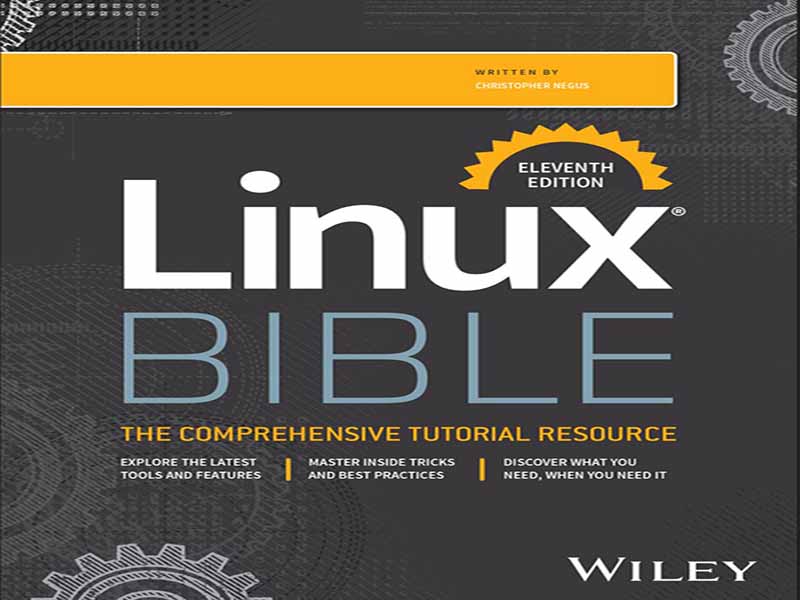
- عنوان کتاب: Linux Bible, 11th Edition
- نویسنده: Chris Negus
- حوزه: آموزش لینوکس
- سال انتشار: 2026
- تعداد صفحه: 1238
- زبان اصلی: انگلیسی
- نوع فایل: pdf
- حجم فایل: 17.6 مگابایت
این کتاب به گونهای سازماندهی شده است که شما را قادر میسازد از ابتدا با لینوکس شروع کنید و به یک مدیر سیستم و کاربر حرفهای لینوکس تبدیل شوید. بخش اول، «شروع کار»، شامل دو فصل است که برای کمک به شما در درک لینوکس و شروع کار با یک دسکتاپ لینوکس طراحی شدهاند: فصل 1، «شروع کار با لینوکس»، موضوعاتی مانند سیستم عامل لینوکس، منشأ آن و نحوه شروع استفاده از آن را پوشش میدهد. فصل 2، «ایجاد یک دسکتاپ لینوکس بینقص»، اطلاعاتی در مورد چگونگی ایجاد یک سیستم دسکتاپ و استفاده از برخی از محبوبترین ویژگیهای دسکتاپ ارائه میدهد. بخش دوم، «تبدیل شدن به یک کاربر حرفهای لینوکس»، جزئیات عمیقی در مورد نحوه استفاده از پوسته لینوکس، کار با سیستم فایلها، دستکاری فایلهای متنی، مدیریت فرآیندها و استفاده از اسکریپتهای پوسته ارائه میدهد: فصل 3، «استفاده از پوسته»، شامل اطلاعاتی در مورد نحوه دسترسی به پوسته، اجرای دستورات، فراخوانی دستورات (با استفاده از تاریخچه) و انجام تکمیل تب است. این فصل همچنین نحوه استفاده از متغیرها، نامهای مستعار و صفحات راهنمای (صفحات مرجع دستورات سنتی لینوکس) را شرح میدهد. فصل ۴، «جابجایی در سیستم فایل»، شامل دستوراتی برای فهرست کردن، ایجاد، کپی کردن و جابجایی فایلها و دایرکتوریها است. مباحث پیشرفتهتر در این فصل شامل امنیت سیستم فایل، مانند مالکیت فایل، مجوزها و لیستهای کنترل دسترسی است. فصل ۵، «کار با فایلهای متنی»، شامل همه چیز از ویرایشگرهای متن پایه گرفته تا ابزارهایی برای یافتن فایلها و جستجوی متن درون فایلها است. فصل ۶، «مدیریت فرآیندهای در حال اجرا»، نحوه مشاهده فرآیندهای در حال اجرا روی سیستم شما و تغییر آنها را شرح میدهد. روشهای تغییر فرآیندها شامل kill کردن، مکث کردن و ارسال انواع دیگر سیگنالها است. فصل ۷، «نوشتن اسکریپتهای ساده Shell»، شامل دستورات و توابع Shell است که میتوانید آنها را در یک فایل جمعآوری کنید تا به عنوان یک دستور اجرا شوند. در بخش سوم، «تبدیل شدن به یک مدیر سیستم لینوکس»، یاد میگیرید که چگونه سیستمهای لینوکس را مدیریت کنید: فصل ۸، «یادگیری مدیریت سیستم»، اطلاعاتی در مورد ابزارهای گرافیکی پایه، دستورات و فایلهای پیکربندی برای مدیریت سیستمهای لینوکس ارائه میدهد. رابط کاربری وب Cockpit را برای مدیریت ساده و متمرکز لینوکس معرفی میکند. فصل ۹، «نصب لینوکس»، وظایف نصب رایج، مانند پارتیشنبندی دیسک و انتخاب اولیه بسته نرمافزاری، و همچنین ابزارهای نصب پیشرفتهتر، مانند نصب از فایلهای kickstart را پوشش میدهد. فصل ۱۰، «دریافت و مدیریت نرمافزار»، درکی از نحوه کار بستههای نرمافزاری و نحوه دریافت و مدیریت بستههای نرمافزاری ارائه میدهد. فصل ۱۱، «مدیریت حسابهای کاربری»، ابزارهایی برای اضافه کردن و حذف کاربران و گروهها و همچنین نحوه متمرکز کردن مدیریت حسابهای کاربری را مورد بحث قرار میدهد. فصل ۱۲، «مدیریت دیسکها و سیستم فایلها»، اطلاعاتی در مورد اضافه کردن پارتیشنها، ایجاد سیستم فایلها و نصب سیستم فایلها و همچنین کار با مدیریت حجم منطقی ارائه میدهد. در بخش چهارم، «تبدیل شدن به یک مدیر سرور لینوکس»، شما یاد میگیرید که سرورهای شبکه قدرتمند و ابزارهای مورد نیاز برای مدیریت آنها را ایجاد کنید: فصل ۱۳، «درک مدیریت سرور»، شامل ثبت وقایع از راه دور، ابزارهای نظارت و فرآیند بوت لینوکس است. فصل ۱۴، «مدیریت شبکه»، نحوه پیکربندی شبکه را مورد بحث قرار میدهد. فصل ۱۵، «شروع و توقف سرویسها»، اطلاعاتی در مورد شروع و توقف سرویسها ارائه میدهد. فصل ۱۶، «پیکربندی یک سرور چاپ»، نحوه پیکربندی چاپگرها را برای استفاده محلی در سیستم لینوکس شما یا از طریق شبکه از رایانههای دیگر شرح میدهد. فصل ۱۷، «پیکربندی یک سرور وب»، نحوه پیکربندی یک سرور وب آپاچی را شرح میدهد. فصل ۱۸، «پیکربندی یک سرور FTP»، مراحل راهاندازی یک سرور FTP vsftpd را پوشش میدهد که میتواند برای فعال کردن دیگران برای دانلود فایلها از سیستم لینوکس شما از طریق شبکه استفاده شود. فصل ۱۹، «پیکربندی یک سرور اشتراکگذاری فایل ویندوز (Samba)، پیکربندی سرور فایل ویندوز با Samba را پوشش میدهد. فصل ۲۰، «پیکربندی یک سرور فایل NFS»، نحوه استفاده از ویژگیهای سیستم فایل شبکه را برای اشتراکگذاری پوشههای فایل بین سیستمها از طریق شبکه شرح میدهد. فصل ۲۱، «عیبیابی لینوکس»، ابزارهای محبوب برای عیبیابی سیستم لینوکس شما را پوشش میدهد. فصل ۲۲، «پیکربندی یک ربات گفتگوی هوش مصنوعی»، نحوه راهاندازی یک ربات گفتگوی هوش مصنوعی را با استفاده از Ollama و مدلهای زبانی دلخواه شما شرح میدهد. در بخش پنجم، «یادگیری تکنیکهای امنیت لینوکس»، شما یاد میگیرید که چگونه سیستمها و سرویسهای لینوکس خود را ایمن کنید: فصل ۲۳، «درک امنیت پایه لینوکس»، مفاهیم و تکنیکهای اولیه امنیت را پوشش میدهد. فصل ۲۴، «درک امنیت پیشرفته لینوکس»، اطلاعاتی در مورد استفاده از ابزارهای PAM و رمزنگاری برای افزایش امنیت سیستم و احراز هویت ارائه میدهد. فصل ۲۵، «افزایش امنیت لینوکس با SELinux»، به شما نشان میدهد که چگونه لینوکس پیشرفته امنیتی (SELinux) را برای ایمنسازی سرویسهای سیستم فعال کنید. فصل ۲۶، «ایمنسازی لینوکس در یک شبکه»، ویژگیهای امنیت شبکه، مانند فایروالهای firewalld و ufw، را برای ایمنسازی سرویسهای سیستم پوشش میدهد. در بخش ششم، «درگیر شدن با رایانش ابری»، کتاب از تمرکز تک سیستمی به سمت کانتینرسازی، رایانش ابری و … حرکت میکند.
The book is organized to enable you to start off at the beginning with Linux and grow to become a professional Linux system administrator and power user. Part I, “Getting Started,” includes two chapters designed to help you understand what Linux is and get you started with a Linux desktop: Chapter 1, “Starting with Linux,” covers topics such as what the Linux operating system is, where it comes from, and how to get started using it. Chapter 2, “Creating the Perfect Linux Desktop,” provides information on how you can create a desktop system and use some of the most popular desktop features. Part II, “Becoming a Linux Power User,” provides in‐depth details on how to use the Linux shell, work with filesystems, manipulate text files, manage processes, and use shell scripts: Chapter 3, “Using the Shell,” includes information on how to access a shell, run commands, recall commands (using history), and do tab completion. The chapter also describes how to use variables, aliases, and man pages (traditional Linux command reference pages). Chapter 4, “Moving Around the Filesystem,” includes commands for listing, creating, copying, and moving files and directories. More advanced topics in this chapter include filesystem security, such as file ownership, permissions, and access control lists. Chapter 5, “Working with Text Files,” includes everything from basic text editors to tools for finding files and searching for text within files. Chapter 6, “Managing Running Processes,” describes how to see what processes are running on your system and change them. Ways of changing processes include killing, pausing, and sending other types of signals. Chapter 7, “Writing Simple Shell Scripts,” includes shell commands and functions that you can gather together into a file to run as a command itself. In Part III, “Becoming a Linux System Administrator,” you learn how to administer Linux systems: Chapter 8, “Learning System Administration,” provides information on basic graphical tools, commands, and configuration files for administering Linux systems. It introduces the Cockpit web UI for simplified, centralized Linux administration. Chapter 9, “Installing Linux,” covers common installation tasks, such as disk partitioning and initial software package selection, as well as more advanced installation tools, such as installing from kickstart files. Chapter 10, “Getting and Managing Software,” provides an understanding of how software packages work and how to get and manage software packages. Chapter 11, “Managing User Accounts,” discusses tools for adding and deleting users and groups as well as how to centralize user account management. Chapter 12, “Managing Disks and Filesystems,” provides information on adding partitions, creating filesystems, and mounting filesystems, as well as working with logical volume management. In Part IV, “Becoming a Linux Server Administrator,” you learn to create powerful network servers and the tools needed to manage them: Chapter 13, “Understanding Server Administration,” covers remote logging, monitoring tools, and the Linux boot process. Chapter 14, “Administering Networking,” discusses how to configure networking. Chapter 15, “Starting and Stopping Services,” provides information on starting and stopping services. Chapter 16, “Configuring a Print Server,” describes how to configure printers to use locally on your Linux system or over the network from other computers. Chapter 17, “Configuring a Web Server,” describes how to configure an Apache web server. Chapter 18, “Configuring an FTP Server,” covers procedures for setting up a vsftpd FTP server that can be used to enable others to download files from your Linux system over the network. Chapter 19, “Configuring a Windows File Sharing (Samba) Server,” covers Windows file server configuration with Samba. Chapter 20, “Configuring an NFS File Server,” describes how to use Network File System features to share folders of files among systems over a network. Chapter 21, “Troubleshooting Linux,” covers popular tools for troubleshooting your Linux system. Chapter 22, “Configuring an Artificial Intelligence Chatbot,” describes how to set up an AI chatbot using Ollama and language models of your choice. In Part V, “Learning Linux Security Techniques,” you learn how to secure your Linux systems and services: Chapter 23, “Understanding Basic Linux Security,” covers basic security concepts and techniques. Chapter 24, “Understanding Advanced Linux Security,” provides information on using PAM and cryptology tools to tighten system security and authentication. Chapter 25, “Enhancing Linux Security with SELinux,” shows you how to enable Security Enhanced Linux (SELinux) to secure system services. Chapter 26, “Securing Linux on a Network,” covers network security features, such as firewalld and ufw firewalls, to secure system services. In Part VI, “Engaging with Cloud Computing,” the book pivots from a single‐system focus toward containerization, cloud computing, and automation: Chapter 27, “Shifting to Clouds and Containers,” describes how to pull, push, start, stop, tag, and build container images. Chapter 28, “Using Linux for Cloud Computing,” introduces concepts of cloud computing in Linux by describing how to set up hypervisors, build virtual machines, and share resources across networks. Chapter 29, “Deploying Linux to the Cloud,” describes how to deploy Linux images to different cloud environments, including Amazon EC2 or a local Linux system that is configured for virtualization. Chapter 30, “Automating Apps and Infrastructure with Ansible,” tells you how to create Ansible playbooks and run ad hoc Ansible commands to automate the configuration of Linux systems and other devices. Chapter 31, “Deploying Applications as Containers with Kubernetes,” describes the Kubernetes project and how it is used to orchestrate container images, with the potential to massively scale up for large data centers. Part VII contains two appendices to help you get the most from your exploration of Linux. Appendix A, “Media,” provides guidance on downloading Linux distributions. Appendix B, “Exercise Answers,” provides sample solutions to the exercises included in Chapters 2 through 31.
این کتاب را میتوانید از لینک زیر بصورت رایگان دانلود کنید:
Download: Linux Bible, 11th Edition























نظرات کاربران