













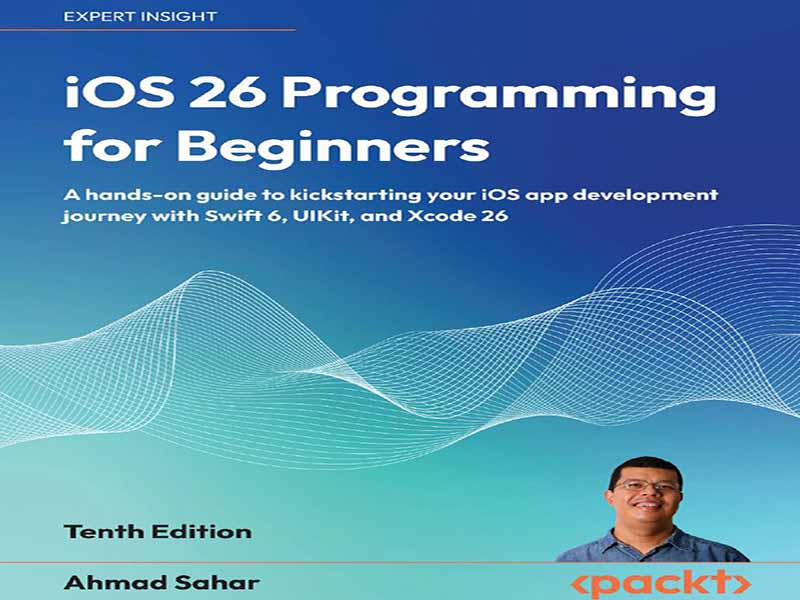
- عنوان کتاب: iOS 26 Programming for Beginners, Tenth Edition -A hands-on guide to kickstarting your iOS app development
- نویسنده: Ahmad Sahar
- حوزه: برنامهنویسی IOS
- سال انتشار: 2025
- تعداد صفحه: 634
- زبان اصلی: انگلیسی
- نوع فایل: pdf
- حجم فایل: 16.8 مگابایت
به برنامه نویسی iOS 26 برای مبتدیان خوش آمدید. این کتاب دهمین نسخه از مجموعه برنامه نویسی iOS برای مبتدیان است و به طور کامل برای iOS 26، macOS Tahoe 26 و Xcode 26 به روز شده است. در این کتاب، شما یک برنامه ژورنال به نام JRNL خواهید ساخت. شما با بررسی Xcode، محیط برنامه نویسی اپل، که به عنوان محیط توسعه یکپارچه (IDE) آن نیز شناخته می شود، شروع خواهید کرد. در مرحله بعد، شروع به یادگیری مبانی Swift، زبان برنامه نویسی مورد استفاده در برنامه های iOS، خواهید کرد و خواهید دید که چگونه از آن برای انجام وظایف رایج برنامه نویسی استفاده می شود. پس از اینکه پایه محکمی در استفاده از Swift پیدا کردید، شروع به ایجاد رابط کاربری برنامه JRNL خواهید کرد. در طول این فرآیند، با استوری بوردها کار خواهید کرد و صحنه های برنامه خود را با استفاده از segueها به یکدیگر متصل می کنید. با تکمیل رابط کاربری، کدی را برای پیاده سازی عملکرد برنامه خود اضافه خواهید کرد. برای شروع، یاد خواهید گرفت که چگونه داده ها را با استفاده از نمای جدولی نمایش دهید. در مرحله بعد، یاد خواهید گرفت که چگونه داده ها را به برنامه خود اضافه کنید و چگونه داده ها را بین کنترل کننده های نما منتقل کنید. پس از آن، یاد خواهید گرفت که چگونه موقعیت مکانی دستگاه خود را تعیین کنید و حاشیهنویسیها را روی نقشه نمایش دهید. سپس یاد خواهید گرفت که چگونه دادههای برنامه را با استفاده از فایلهای JSON ذخیره کنید، نماهای سفارشی ایجاد کنید و عکسها را از دوربین یا کتابخانه عکس اضافه کنید. در نهایت، با پیادهسازی نمای مجموعه به جای نمای جدولی، برنامه خود را روی دستگاههایی با صفحه نمایش بزرگتر، مانند iPad یا Mac، کار خواهید کرد. اکنون یک برنامه کامل دارید، اما در مورد اضافه کردن آخرین ویژگیهای iOS 26 چطور؟ شما با یادگیری نحوه بهروزرسانی رابط کاربری برنامه خود به زبان طراحی جدید اپل در تمام پلتفرمهای آن شروع خواهید کرد. در مرحله بعد، یاد خواهید گرفت که چگونه با استفاده از Icon Composer آیکونهای جذاب ایجاد کنید. پس از آن، یاد خواهید گرفت که چگونه ویژگیهای Apple Intelligence و چارچوب Foundation Models را در برنامههای خود پیادهسازی کنید. در نهایت، یاد خواهید گرفت که چگونه برنامه خود را با آزمایشکنندگان داخلی و خارجی آزمایش کنید و آن را به App Store وارد کنید. این کتاب برای افرادی با حداقل تجربه کدنویسی که تازه وارد دنیای Swift و توسعه برنامههای iOS شدهاند، مناسب است. درک اولیه از مفاهیم برنامهنویسی توصیه میشود. فصل ۱، سلام، Xcode، شما را با Xcode آشنا میکند و در مورد تمام بخشهای مختلفی که در طول کتاب استفاده خواهید کرد، صحبت میکند. فصل ۲، مقادیر و انواع ساده، به نحوه پیادهسازی مقادیر و انواع توسط زبان Swift میپردازد. فصل ۳، شرطیها و اختیاریها، نحوه پیادهسازی دستورات if و switch و نحوه پیادهسازی متغیرهایی که ممکن است مقداری داشته باشند یا نداشته باشند را نشان میدهد. فصل ۴، عملگرهای محدوده و حلقهها، نحوه کار با محدودهها و روشهای مختلف پیادهسازی حلقهها در Swift را نشان میدهد. فصل ۵، انواع مجموعه، انواع مجموعههای رایج، که آرایهها، دیکشنریها و مجموعهها هستند را پوشش میدهد. فصل ۶، توابع و کلوژرها، نحوه گروهبندی دستورالعملها با استفاده از توابع و کلوژرها را پوشش میدهد. فصل ۷، کلاسها، ساختارها و شمارشها، در مورد چگونگی نمایش اشیاء پیچیده حاوی حالت و رفتار در Swift صحبت میکند. فصل ۸، پروتکلها، افزونهها و مدیریت خطا، در مورد ایجاد پروتکلهایی که انواع دادههای پیچیده میتوانند اتخاذ کنند، گسترش قابلیتهای انواع موجود و نحوه مدیریت خطاها در کد شما صحبت میکند. فصل ۹، Swift Concurrency، شما را با مفاهیم برنامهنویسی موازی و غیرهمزمان آشنا میکند و به شما نشان میدهد که چگونه میتوانید آنها را در برنامه خود پیادهسازی کنید. فصل ۱۰، راهاندازی رابط کاربری، به ایجاد برنامه JRNL و راهاندازی صفحه اولیهای که کاربران خواهند دید، میپردازد. فصل ۱۱، ساخت رابط کاربری، راهاندازی صفحه اصلی برای برنامه JRNL را پوشش میدهد. فصل ۱۲، تکمیل رابط کاربری، راهاندازی صفحات باقیمانده برای برنامه JRNL را پوشش میدهد. فصل ۱۳، اصلاح صفحات برنامه، در مورد پیکربندی هر صفحه از برنامه در یک استوریبورد است. فصل ۱۴، MVC و نمایشهای جدول، کار با یک نمای جدول و نحوه استفاده از آن برای نمایش لیستی از موارد را پوشش میدهد. فصل ۱۵، دریافت دادهها در نمای جدول، مربوط به گنجاندن دادهها در نمای جدول با استفاده از یک آرایه به عنوان منبع داده است. فصل ۱۶، انتقال دادهها بین کنترلکنندههای نمایش، به شما آموزش میدهد که چگونه دادههای وارد شده با استفاده از یک کنترلکننده نمایش را به یک آرایه اضافه کنید و چگونه دادهها را از آرایه به یک کنترلکننده نمایش دیگر منتقل کنید. فصل ۱۷، Core Location و MapKit، به کار با Core Location و MapKit برای تعیین موقعیت مکانی دستگاه شما و افزودن حاشیهنویسی به نقشه میپردازد. فصل ۱۸، فایلهای JSON، شامل یادگیری نحوه ذخیره و بازیابی دادههای کاربر با استفاده از یک فایل JSON است. فصل ۱۹، Custom Views، به شما آموزش میدهد که چگونه یک نمای سفارشی ایجاد و استفاده کنید که امتیاز ستارهای را نمایش میدهد. فصل ۲۰، Camera and Photo Library، در مورد نحوه دریافت عکسها از دوربین یا کتابخانه عکس شما در برنامهتان صحبت میکند. فصل ۲۱، Search، به شما آموزش میدهد که چگونه یک نوار جستجو برای صفحه اصلی خود پیادهسازی کنید. فصل ۲۲، Collection Views، به شما نشان میدهد که چگونه Collection Views را به جای Table Views پیادهسازی کنید تا برای دستگاههایی با صفحه نمایش بزرگتر، مانند Mac یا iPad، مناسب باشد. فصل ۲۳، Adopt Liquid Glass، به پیادهسازی زبان طراحی جدید اپل برای همه پلتفرمهای آن، با ترکیب یک Mate جدید، میپردازد…
Welcome to iOS 26 Programming for Beginners. This book is the tenth edition of the iOS Programming for Beginners series, and has been fully updated for iOS 26, macOS Tahoe 26, and Xcode 26. In this book, you will build a journal app called JRNL. You will start off by exploring Xcode, Apple’s programming environment, also known as its Integrated Development Environment (IDE). Next, you will start learning the foundations of Swift, the programming language used in iOS apps, and see how it is used to accomplish common programming tasks. Once you have a solid foundation of using Swift, you will start creating the user interface of the JRNL app. During this process, you will work with storyboards and connect your app’s scenes together using segues. With your user interface complete, you will then add code to implement your app’s functionality. To start, you’ll learn how to display data using a table view. Next, you’ll learn how to add data to your app, and how to pass data between view controllers. After that, you’ll learn how to determine your device location and display annotations on a map. You’ll then learn how to persist app data using JSON files, create custom views, and add photos from the camera or photo library. Finally, you’ll make your app work on devices with larger screens, such as an iPad or Mac, by implementing a collection view in place of a table view. You now have a complete app, but how about adding the latest iOS 26 features? You’ll start by learning how to update your app’s user interface to Apple’s new design language across all its platforms. Next, you will learn how to create cool icons using Icon Composer. After that, you’ll learn how to implement Apple Intelligence features and the Foundation Models framework into your apps. Finally, you’ll learn how to test your app with internal and external testers and get it into the App Store. This book is tailored for individuals with minimal coding experience who are new to the world of Swift and iOS app development. A basic understanding of programming concepts is recommended. Chapter 1, Hello, Xcode, takes you through a tour of Xcode and talks about all the different parts that you will use throughout the book. Chapter 2, Simple Values and Types, deals with how values and types are implemented by the Swift language. Chapter 3, Conditionals and Optionals, shows how if and switch statements are implemented, and how to implement variables that may or may not have a value. Chapter 4, Range Operators and Loops, shows how to work with ranges and the different ways loops are implemented in Swift. Chapter 5, Collection Types, covers the common collection types, which are arrays, dictionaries, and sets. Chapter 6, Functions and Closures, covers how you can group instructions together using functions and closures. Chapter 7, Classes, Structures, and Enumerations, talks about how complex objects containing state and behavior are represented in Swift. Chapter 8, Protocols, Extensions, and Error Handling, talks about creating protocols that complex data types can adopt, extending the capabilities of existing types, and how to handle errors in your code. Chapter 9, Swift Concurrency, introduces you to the concepts of parallel and asynchronous programming, and shows you how you can implement them in your app. Chapter 10, Set Up the User Interface, deals with creating the JRNL app and setting up the initial screen that the users will see. Chapter 11, Build the User Interface, covers setting up the main screen for the JRNL app. Chapter 12, Complete the User Interface, covers setting up the remaining screens for the JRNL app. Chapter 13, Modify App Screens, is about configuring each screen of the app in a storyboard. Chapter 14, MVC and Table Views, covers working with a table view and how you can use it to display a list of items. Chapter 15, Get Data into Table Views, concerns the incorporation of data into table views using an array as a data source. Chapter 16, Pass Data Between View Controllers, teaches you how to add data entered using a view controller to an array, and how to pass data from the array to another view controller. Chapter 17, Core Location and MapKit, deals with working with Core Location and MapKit to determine your device’s location and add annotations to a map. Chapter 18, JSON Files, involves learning how to store and retrieve user data using a JSON file. Chapter 19, Custom Views, teaches you how to create and use a custom view that displays a star rating. Chapter 20, Camera and Photo Library, talks about how to get photos from your camera or photo library into your app. Chapter 21, Search, teaches you how to implement a search bar for your main screen. Chapter 22, Collection Views, shows you how to implement collection views in place of table views to suit devices with larger screens, such as a Mac or iPad. Chapter 23, Adopt Liquid Glass, deals with implementing Apple’s new design language for all its platforms, incorporating a new material named Liquid Glass. Chapter 24, Icon Composer, introduces building an app icon using Icon Composer. Chapter 25, Apple Intelligence, shows you how to add Apple Intelligence features to your app. Chapter 26, Foundation Models, shows you how to implement an assistant using the Foundation Models framework in your app. Chapter 27, Test and Submit Your App to the App Store, is about how to test and submit your apps to the App Store.
این کتاب را میتوانید از لینک زیر بصورت رایگان دانلود کنید:


























نظرات کاربران